When we were planning to set off on our year-long travel adventure, we knew that we were going to take a lot of photos. We debated whether or not to purchase a “real” digital camera or simply rely on our iPhones. With our limited luggage space and tight budget to consider, we decided to stick with the iPhones and purchase a few accessories to maximize their usability. We are four months into our trip and we have no regrets.
1. The iPhone Wrist Strap There is something incredibly comforting about using a camera with a wrist strap or a neck strap. In the past, I’ve often been taking photos with my iPhone and been paranoid that I’d drop it or set it down and lose it. Then, I came across this iPhone Wrist Strap on Photojojo.com. It’s given me the confidence to whip out my iPhone to take photos while ziplining, riding an elephant, careening down the road in a Tuk-Tuk, and lots of other situations where I would have felt is was too big of a risk that I’d drop it. Honestly, I use it whenever I am holding my iPhone, not just for photos. Continue reading Travel iPhoneography→
Camera+ is a powerful and feature-rich photography app for the iPhone. It debuted in 2010 as one of the earliest Camera app alternatives and set the bar for the genre. The app has maintained its well-earned popularity due to the developer’s consistent updates to add features and address user feedback.
Designed to make taking great photos as easy as possible, Camera+ does just that. Whether you are a professional photographer or an amateur shutterbug, you’ll be impressed by what this app has to offer.
camera+
Shooting Options
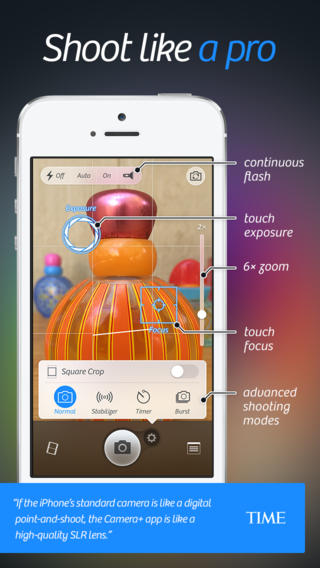
You’ll be pleased with all of the great features to help you capture the perfect image. The quality of our photos was immediately improved simply by the ability to independently set and adjust exposure and focus by touch. We also appreciate the 6× zoom control, composition grid, image “stabilizer,” self-timer, and burst mode.
camera+
Editing Options
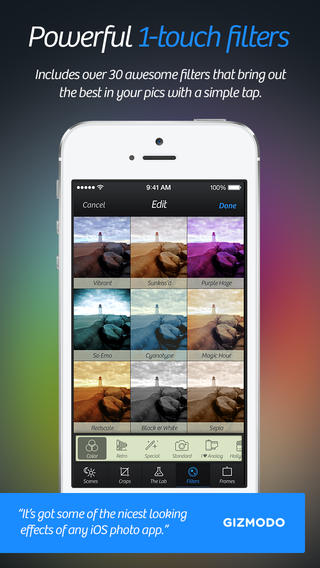
When you’re ready to edit your photos you can use the slick interface to apply digital-camera-like scenes, add effects defined by professional photographers, create layers, edit balance, add borders, rotate, and crop your images to your specs or select from several standard sizes.
camera+
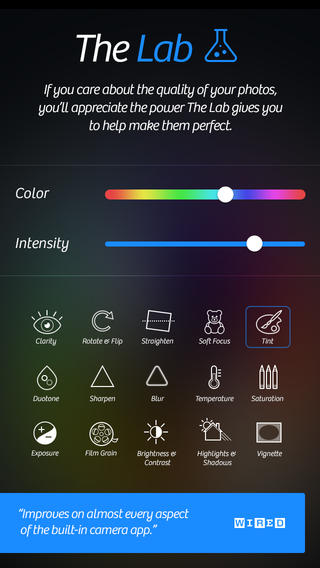
The Lab
The recent release of Camera+5 introduced The Lab, which the developer describes as “world-class photo editing” for the iPhone. Here you’ll find Clarity Pro, a tool that allows you to adjust clarity and vibrancy of your photo using separate sliders. Just as simply, you can straighten an image, adjust tint and duotone, add soft focus, add film grain, sharpen and blur your images, as well as adjust saturation, temperature, exposure, brightness and contrast, highlights and shadows, or add a vignette.
Managing and Sharing Images
Your photos can be found in the app’s Lightbox. There you can view them, decide which to save as-is, which to edit and which to delete. If you want to sync your Camera+ photos between all of your devices, then you can use the iCloud Lightbox feature. You can save images from the Lightbox into your device’s camera roll and share it to Facebook, Twitter, Flickr or send it in an e-mail or text message. There’s also an option to AirDrop photos to Instagram or Evernote.
Photo Info Camera+ captures photo metadata and displays it on a card-like popup. You can easily find when photos were shot, their dimensions and sizes, edits you’ve applied, location info, and finer details such as ISO, focal length, and shutter speed.
As someone that enjoys recording special moments, but isn’t particularly knowledgeable about the art and science of photography and photo-editing, I find Camera+ to be very usable and there is no doubt that it will help anyone take better photos.
Camera+ 5 for iPhone is now available for $1.99 on the App Store and requires iOS 6.0 or later; the update is free to existing customers.


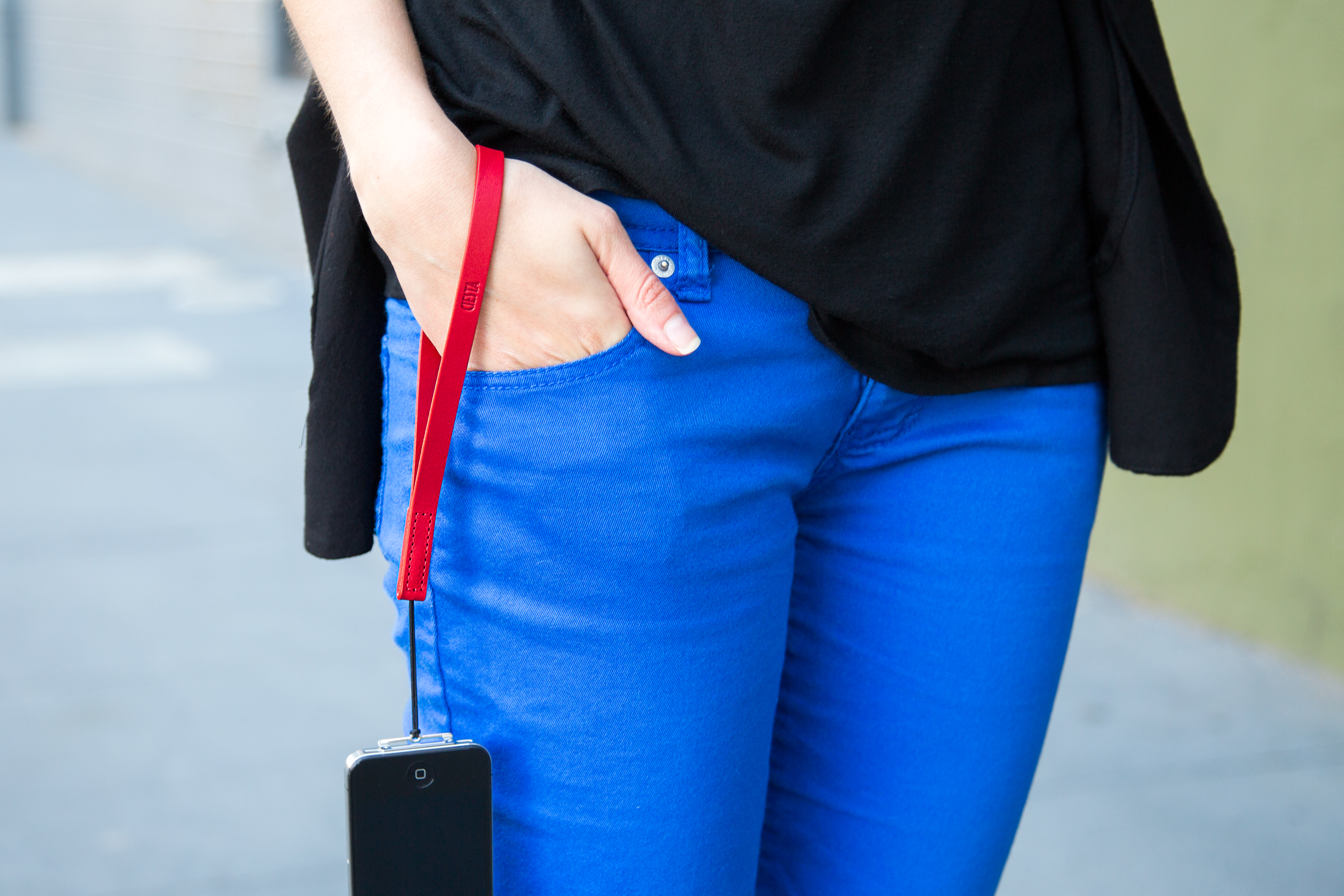 There is something incredibly comforting about using a camera with a wrist strap or a neck strap. In the past, I’ve often been taking photos with my iPhone and been paranoid that I’d drop it or set it down and lose it. Then, I came across this iPhone Wrist Strap on Photojojo.com. It’s given me the confidence to whip out my iPhone to take photos while ziplining, riding an elephant, careening down the road in a Tuk-Tuk, and lots of other situations where I would have felt is was too big of a risk that I’d drop it. Honestly, I use it whenever I am holding my iPhone, not just for photos. Continue reading Travel iPhoneography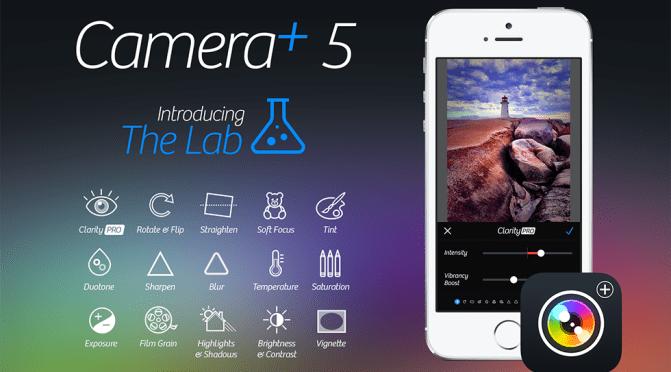
 Meandering Family: Beyond the Nest